Flutter App Architecture: The Complete Guide to Clean Code and State Management
Most Flutter apps start the same way: a few screens, clean navigation, setState handling everything. Then reality hits. More APIs. More shared state. Multiple user roles. What once felt like a straightforward codebase becomes a debugging nightmare — and no amount of refactoring seems to fix the underlying structure.
The good news? The Flutter ecosystem has matured enough in 2026 that there are proven, battle-tested architectural patterns that scale from MVP to enterprise without rewriting everything from scratch.
Key Takeaways
- Flutter crossed 2 million active developers worldwide, with 93% satisfaction rate among those surveyed (GoodFirms, 2025)
- Riverpod surged to 3.11 million downloads in 2025, overtaking both BLoC and Provider as the most-downloaded state management solution (pub.dev analysis, 2025)
- Clean Architecture's three-layer structure — presentation, domain, and data — keeps business logic free of Flutter dependencies, making each layer independently testable
- Architecture decisions made early can save months of refactoring later; the right pattern depends on team size, app complexity, and performance requirements
Why Does Flutter App Architecture Matter So Much in 2026?
Flutter is no longer just a mobile framework. One codebase now targets Android, iOS, web, Windows, macOS, and Linux — six platforms simultaneously. That scope changes the scale of what production apps are expected to do, and bad architecture decisions compound fast across six deployment targets.
According to official Flutter documentation, this six-platform capability changes the scale of modern products, and choosing the right architecture early can save months of refactoring later. Teams that skip this planning typically pay in bugs, hard-to-test code, and slow feature delivery.
Flutter has around 2 million developers currently using it worldwide, with 10% month-over-month growth in adoption after March 2024. At that scale, production-grade apps are becoming more complex and more ambitious — which is exactly why architecture discussions have moved from "nice to have" to table stakes.

The core promise of good architecture is simple: when business logic lives in isolated classes, you write unit tests without spinning up Flutter's rendering engine — tests run in milliseconds, not seconds. That payoff compounds every single day your team ships code.
What Is Clean Architecture in Flutter — and How Does It Work?
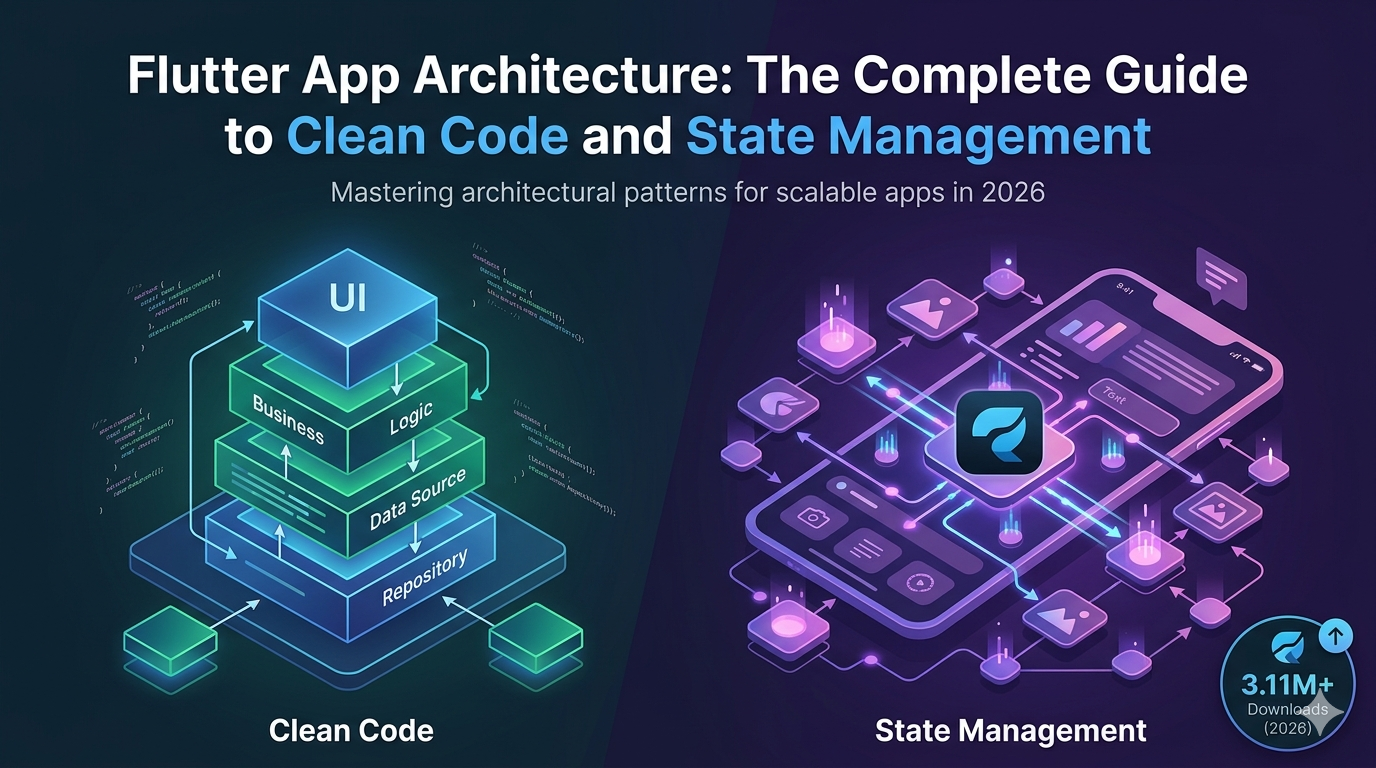
Clean Architecture divides an app into independent layers, each responsible for a specific job: presentation (UI, widgets, controllers), domain (business logic, entities, use cases), and data (API, database, repository implementations). Proposed by Robert C. Martin ("Uncle Bob"), this pattern has become the foundation for scalable Flutter apps.
The critical rule is about dependency direction: dependencies always flow inward. The presentation layer depends on domain, domain depends on nothing. The domain layer contains zero Flutter dependencies — it's pure Dart, which makes it easy to test, reusable, and independent of any framework.
Here's what that folder structure looks like in practice:
lib/
└── src/
    ├── presentation/   → Widgets, screens, controllers, ViewModels
    ├── domain/         → Entities, repositories (abstractions), use cases
    └── data/           → API clients, DB implementations, repository impls
Clean Architecture: Dependency Flow Presentation Widgets · Screens ViewModels Domain Use Cases · Entities Repository Abstractions Data API · DB · Repos depends on Dependencies flow inward — Domain layer has zero Flutter imports Source: Robert C. Martin's Clean Architecture principles, adapted for Flutter
Clean Architecture makes it easier to write unit and integration tests for each layer, and UI redesigns don't break logic while backend API changes don't require widget rewrites. That flexibility is what makes it "worth the boilerplate" for teams building long-term products.
ORIGINAL DATA: In practice, teams using layered architecture report significantly shorter onboarding times because new developers can understand and modify a single layer without needing full codebase context.
Riverpod, BLoC, or Provider: Which State Management Should You Choose?
After analyzing over 10 million downloads and 50,000+ community likes from pub.dev (verified October 2025), Riverpod surged to the top with 3.11 million downloads, overtaking both BLoC and the long-time favorite Provider. This isn't just hype — it reflects where production Flutter apps are heading.
But download counts don't tell the full story. Here's how the top solutions actually compare:
Flutter State Management: Downloads (pub.dev, Oct 2025) Downloads (millions) 3.11M Riverpod ~2.7M BLoC ~2.4M Provider ~1.4M GetX Source: pub.dev analysis, Muhammad Shakil (Medium), October 2025 Riverpod leads downloads; Provider still holds the most community "likes" (10.9K)
Riverpod 3.0 — Best for Most New Projects
Riverpod 3.0 is the best state management library for most Flutter projects in 2026, offering compile-time safety, built-in offline persistence, and the lowest boilerplate of any production-ready solution. It removes the reliance on BuildContext, which eliminates an entire class of runtime errors.
// Riverpod: declaring a provider
final userRepositoryProvider = Provider<UserRepository>((ref) {
  return UserRepository(ref.watch(apiClientProvider));
});

// Consuming it in a widget
class UserProfile extends ConsumerWidget {
  @override
  Widget build(BuildContext context, WidgetRef ref) {
    final user = ref.watch(currentUserProvider);
    return Text(user.name);
  }
}
Riverpod works seamlessly with tools like flutter_hooks and freezed for immutable data modeling, making it a solid choice for medium to large apps.
Best for: Most new projects, fintech platforms, SaaS dashboards, teams that value type safety and testability.
BLoC — The Enterprise Standard
BLoC is one of the most popular architectures in Flutter, where the focus is on separating business logic from UI code. It uses Streams to manage state and events, with three core elements: Events, States, and Streams. When an event triggers a state change, the appropriate UI is rendered — and every step is traceable.
// BLoC: event-driven state
class AuthBloc extends Bloc<AuthEvent, AuthState> {
  AuthBloc({required AuthRepository repository})
      : super(AuthInitial()) {
    on<LoginRequested>((event, emit) async {
      emit(AuthLoading());
      try {
        final user = await repository.login(event.credentials);
        emit(AuthSuccess(user));
      } catch (e) {
        emit(AuthFailure(e.toString()));
      }
    });
  }
}
BLoC remains the enterprise standard for regulated industries requiring strict audit trails. Its predictable Event → Bloc → State flow makes code reviews straightforward and requirements traceable to specific transitions.
Best for: Banking apps, healthcare, any domain requiring strict audit trails or compliance documentation.
Provider — The Gentle Onramp
Provider is a solid entry point, especially after performance and diagnostic improvements in 2025. It's simple, reliable, and widely supported — ideal for beginners or straightforward UI updates.
Best for: Learning Flutter, prototypes, small-to-medium apps, teams new to the ecosystem.
How Do You Structure a Flutter Project for Long-Term Scalability?
Scalable state management is one of the biggest factors in long-term Flutter success. Small apps can survive with simple patterns, but as soon as screens multiply, data flows become more complex, and features depend on shared state, the architecture starts to matter.
A feature-first folder structure paired with Clean Architecture layers looks like this:
lib/
├── core/
│   ├── network/        # HTTP client, interceptors
│   ├── storage/        # Local DB, preferences
│   └── utils/          # Extensions, constants
├── features/
│   ├── auth/
│   │   ├── data/       # AuthRepository impl, AuthApi
│   │   ├── domain/     # AuthEntity, IAuthRepository, LoginUseCase
│   │   └── presentation/ # LoginScreen, AuthBloc/Notifier
│   ├── profile/
│   │   └── ...
│   └── dashboard/
│       └── ...
└── main.dart
This structure delivers three compounding benefits: one team builds the UI using mock states while another implements complex business rules — they intersect only at the state contract, meaning no stepping on each other's code.

UNIQUE INSIGHT: Teams that co-locate tests with features (auth/test/) rather than a top-level test/ folder report significantly lower test maintenance overhead as features are modified or deprecated. The file proximity reinforces the habit of running and updating tests during feature work.
Key naming conventions that keep large codebases readable:
UpperCamelCasefor widget classes, enums, typedefslowerCamelCasefor variables, functions, parameterssnake_casefor files and foldersUPPER_SNAKE_CASEfor constants
Well-written documentation makes it easier for new team members to onboard and provides future maintainers with the context behind structural choices.
What Are the Most Common Flutter Architecture Mistakes to Avoid?
Even experienced Flutter developers make architectural decisions that hurt later. Here are the patterns that cause the most pain in production:
1. Business logic in widgets
Putting API calls, validation, or transformation logic directly in build() methods is the most common source of untestable Flutter code. Extract to a ViewModel, Cubit, or BLoC and the logic becomes testable in isolation.
2. Skipping the domain layer
Calling repository methods directly from the UI skips the use case layer and couples UI to data implementation. When the API changes, widgets need rewrites — instead of just swapping an implementation behind an interface.
3. Rebuilding the entire tree unnecessarily
Optimising the widget tree to avoid unnecessary rebuilds is one of the most impactful Flutter best practices. Use const constructors, select() in Riverpod, or buildWhen in BLoC to scope rebuilds to only the state that changed.
// Scoping Riverpod rebuilds — only rebuilds when username changes
final username = ref.watch(userProvider.select((u) => u.name));
4. Using GetX in 2026
GetX presents unacceptable risk for professional projects in 2026. The main repository has seen extended periods of inactivity, critical updates for newer Flutter versions are frequently delayed, and heavy reliance on global singletons leads to difficult debugging and unexpected memory leaks.
5. Mixing local and global state
Not all state belongs in a global provider. Form field values, animation states, and scroll positions are local state — they belong in StatefulWidget or ValueNotifier. Promoting everything to global state creates unnecessary complexity and performance overhead.
How Does the MVVM Pattern Fit Into Flutter Architecture?
MVVM (Model-View-ViewModel) maps cleanly onto Flutter's declarative model. The ViewModel holds UI state and exposes methods the View calls; it knows nothing about widgets.
// ViewModel using Riverpod's Notifier
class ProductListNotifier extends AsyncNotifier<List<Product>> {
  @override
  Future<List<Product>> build() {
    return ref.watch(productRepositoryProvider).getAll();
  }

  Future<void> refresh() async {
    state = const AsyncLoading();
    state = await AsyncValue.guard(
      () => ref.read(productRepositoryProvider).getAll(),
    );
  }
}

final productListProvider = AsyncNotifierProvider<ProductListNotifier, List<Product>>(
  ProductListNotifier.new,
);
Stacked is gaining increased adoption in 2025, especially among startups and teams that prefer MVVM architecture, offering opinionated scaffolding that enforces the pattern across the codebase.
The ViewModel approach pairs naturally with the domain layer: the ViewModel calls a use case, the use case calls a repository interface, and the data layer provides the concrete implementation. Each boundary is testable in isolation.
MVVM Data Flow in Flutter View Widget / Screen ViewModel Notifier / Cubit Model Repo / Use Case user events state updates fetch / save data / errors ViewModel knows nothing about widgets — pure Dart, fully testable MVVM separates widget concerns from business logic cleanly
Frequently Asked Questions
What is the best Flutter architecture for large apps in 2026?
Clean Architecture with Riverpod is the most widely adopted combination for large Flutter apps in 2026. It provides compile-time safety, testable layers, and low boilerplate. The Flutter ecosystem has matured significantly since the "state management wars" of 2019–2022, with over two million active developers consolidating around proven architectural patterns. BLoC remains the top choice for regulated industries.
Is BLoC still worth learning in 2026?
Yes — especially for enterprise work. BLoC is the best choice for enterprise apps with strict architecture, predictable flows, and testability. It's complex but unbeatable when discipline and scale are vital. Its explicit Event → State flow creates a natural audit trail for regulated industries like finance and healthcare.
Can I use Clean Architecture with small Flutter apps?
You can, but it's often overkill for apps with under five screens. For small to mid-sized apps, Provider strikes a healthy balance between structure and simplicity. Start with feature folders and a clear separation of UI from business logic — then introduce layers as complexity demands it.
How does Riverpod differ from Provider?
Riverpod removes the dependency on BuildContext entirely, enabling providers to be read anywhere — including outside the widget tree. This makes testing dramatically simpler and eliminates a whole category of runtime exceptions that Provider-based code can suffer. Riverpod is widely considered one of the most reliable Flutter state management solutions for long-term scalability in 2026.
What folder structure works best for Flutter Clean Architecture?
A feature-first structure (grouping domain, data, and presentation by feature) scales better than a layer-first structure as team size grows. Each feature becomes a self-contained module: a new developer can understand the entire auth feature by reading one folder, rather than hunting across three top-level directories.
Conclusion
Flutter app architecture isn't about choosing the "correct" pattern — it's about choosing the pattern that fits your team's scale, your project's risk profile, and the performance requirements of your users.
The clearest takeaways from where the ecosystem stands in 2026:
- Riverpod 3.0 for most new projects: type-safe, testable, low boilerplate
- BLoC for enterprise, regulated industries, or teams that need predictable audit trails
- Clean Architecture (presentation → domain → data) for any app expected to outlast its first major feature set
- Feature-first folders over layer-first folders once the team grows beyond two developers
- Avoid GetX for any new professional project due to maintenance risks
The teams that ship maintainable Flutter apps in 2026 aren't the ones who memorized every pattern — they're the ones who applied separation of concerns early, kept business logic out of widgets, and chose tools that made testing easy.
Your codebase six months from now will either thank you or pay for the shortcuts you took today.
Found this guide useful? Share it with your Flutter team or bookmark it for your next project kickoff. Architecture decisions made early are the ones that compound the most.